
Automated Job Monitoring & AI-Powered Job Detection System
Built a fully automated system that tracks job openings from company career pages and LinkedIn, detects new roles using AI, and updates a centralized database.
- Automated job tracking across multiple sources
- AI-based new job detection
- Zero manual monitoring
- n8n
- OpenAI
- Firecrawl API
- Apify API
- Airtable
What Was the Problem?
Manually checking company career pages and LinkedIn for new job openings is time-consuming and inefficient.
For recruiters, job seekers, or businesses tracking competitors — this process becomes even harder when:
- Multiple company career pages need to be monitored
- Different ATS systems are used across websites
- LinkedIn job updates are inconsistent
- There is no easy way to track new vs existing jobs
They needed a system that could:
- Automatically scrape job listings from career pages and LinkedIn
- Store and organize job data centrally
- Detect new job openings intelligently
- Allow flexible scheduling (daily, every 3 days, weekly, etc.)
- Eliminate manual checking completely
What I Built
Using n8n, I built a fully automated job monitoring system that continuously tracks job openings across multiple sources and intelligently detects new opportunities using AI.
Workflow Overview
-
Trigger System
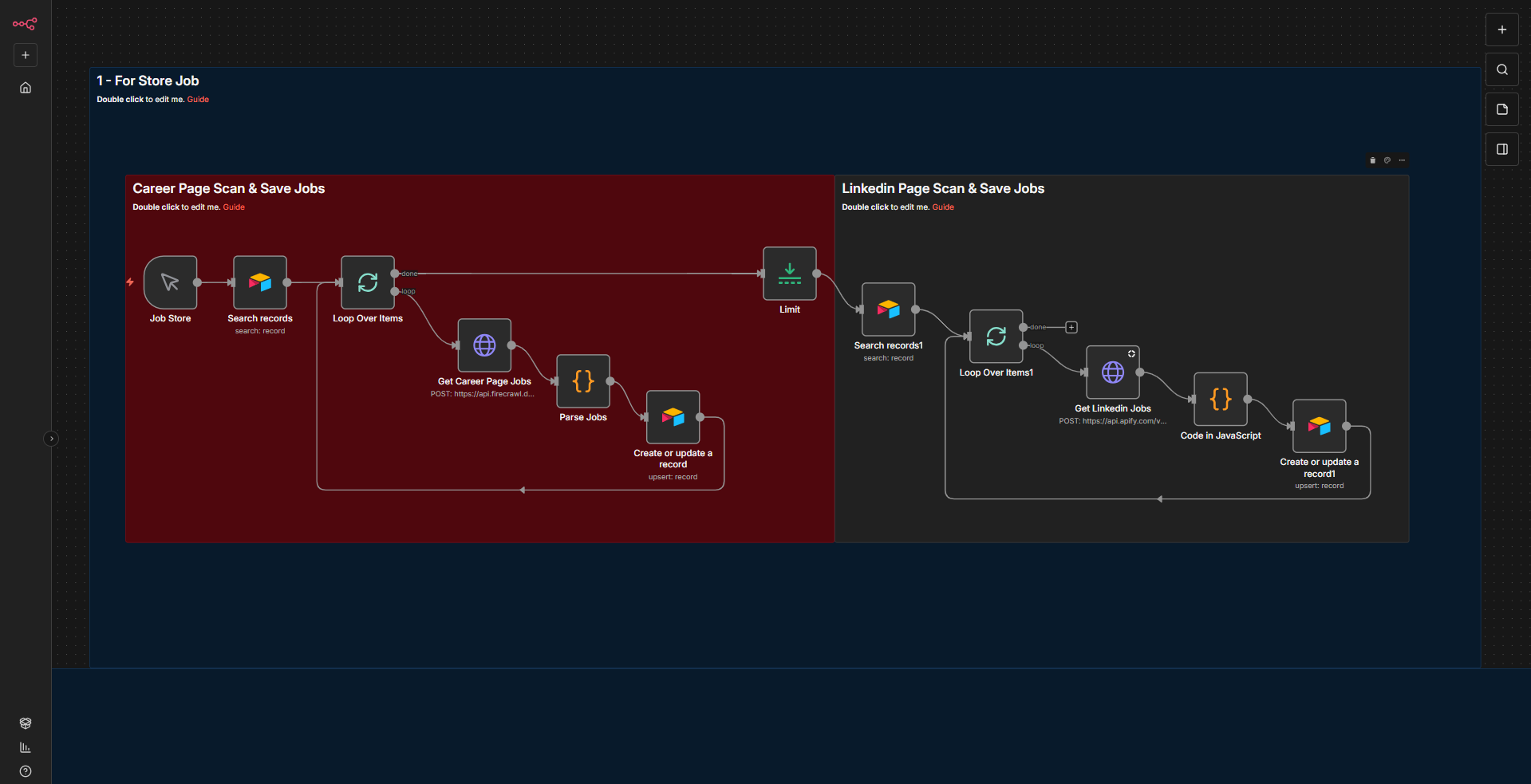
- A manual trigger is used to initially fetch and store job data when a new company is added
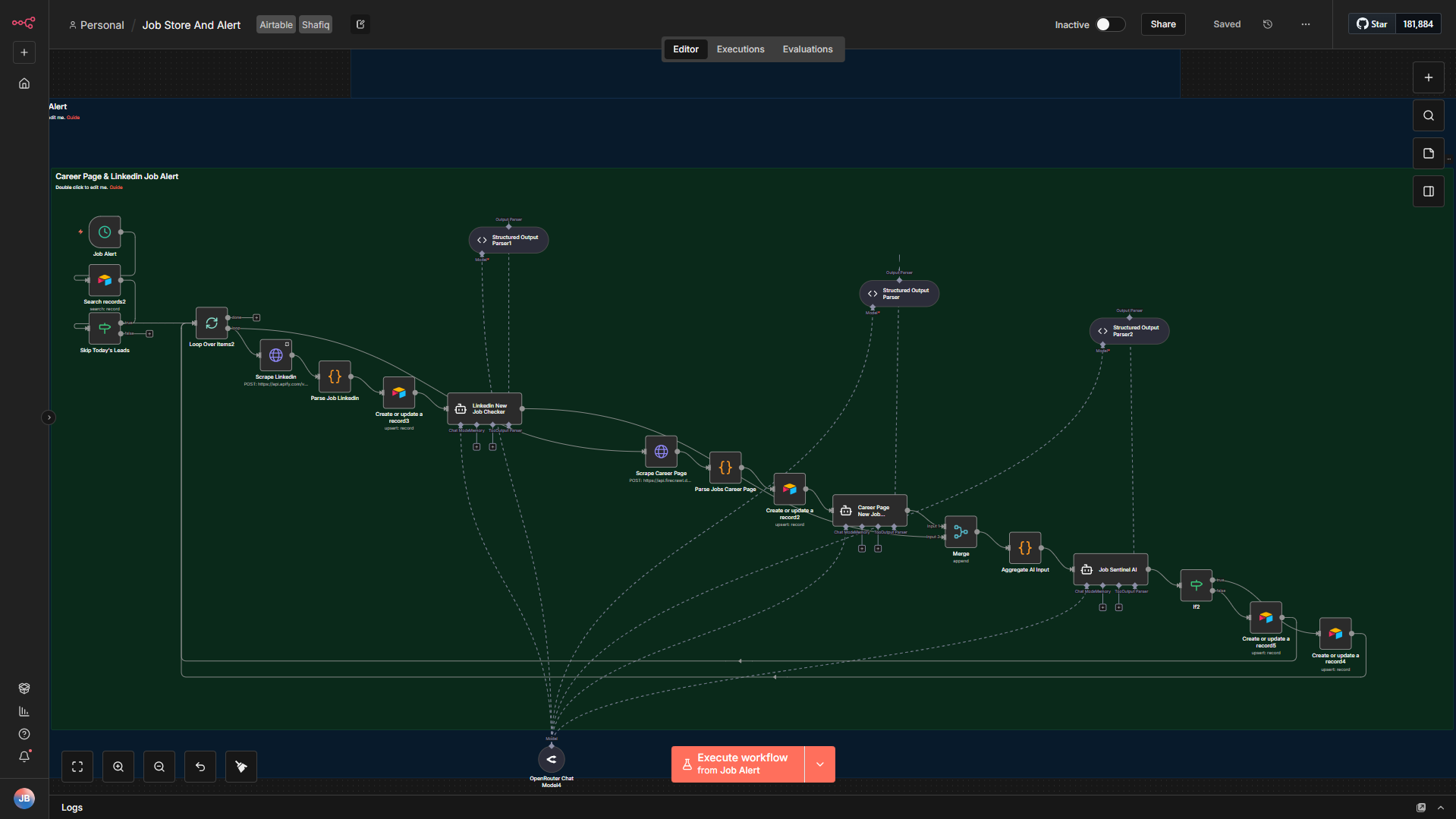
- A cron/schedule trigger runs the workflow automatically at custom intervals (3, 5, 7, 10, 15, or 30 days)
-
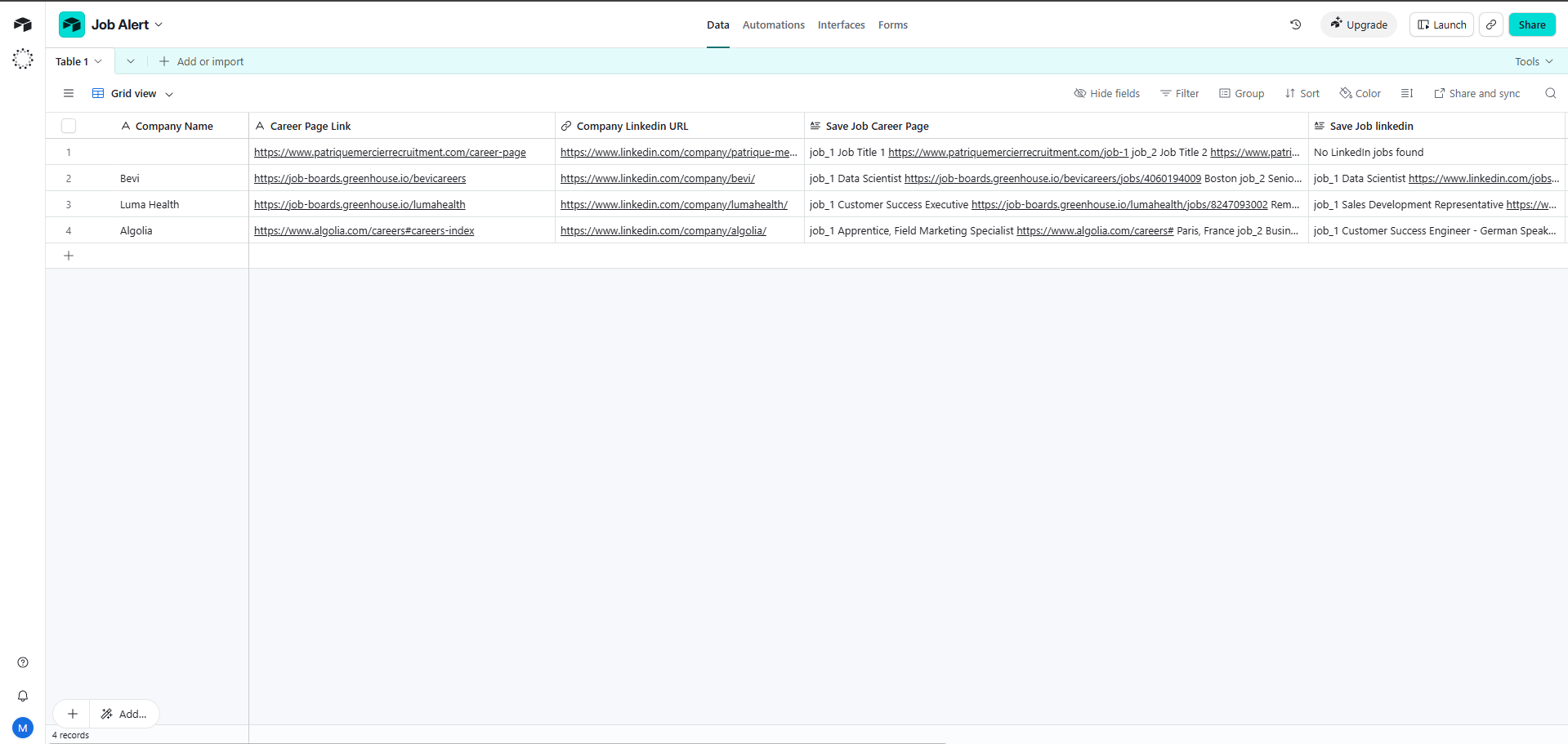
Job Source Input (Airtable)
- Stores:
- Company name
- Career page URL
- LinkedIn company URL
- Acts as the central control panel for job tracking
- Stores:
-
Career Page Scraping (Firecrawl API)
- Scrapes job listings from any career page
- Handles multiple ATS platforms (Greenhouse, Lever, custom sites, etc.)
- Ensures reliable extraction regardless of site structure
-
LinkedIn Job Scraping (Apify API)
- Extracts job listings directly from LinkedIn company pages
- Complements career page data for complete coverage
-
Data Processing & Structuring
- Parses raw job data into structured format
- Standardizes job titles, links, and metadata
- Stores results in Airtable
-
AI-Powered Job Comparison (OpenAI)
- Compares newly scraped jobs with previously stored jobs
- Detects whether a job is:
- Existing (already stored)
- New (unique opportunity)
- Eliminates duplicates intelligently
-
New Job Detection & Update
- If a new job is found:
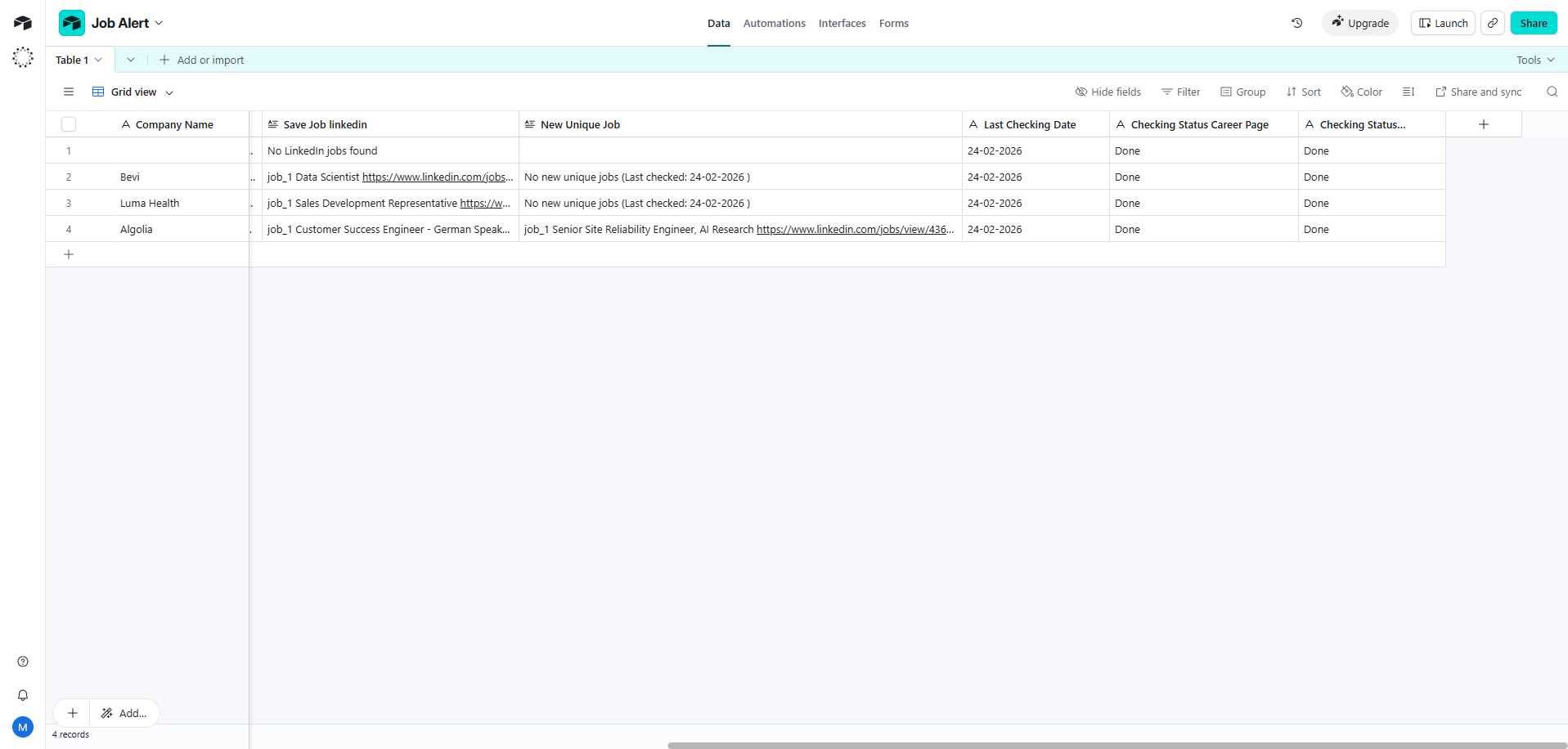
- It is marked as a “New Unique Job”
- Airtable is updated automatically
- Maintains a clean and up-to-date dataset
- If a new job is found:
-
Tracking & Status Logging
- Stores:
- Last checking date
- Career page check status
- LinkedIn check status
- Ensures full transparency and monitoring
- Stores:
Key Technical Details
- Built using n8n modular workflow architecture
- Implemented looping logic to process multiple companies dynamically
- Used AI Agent (OpenAI) to compare job datasets and detect uniqueness
- Designed flexible scheduling using cron triggers
- Structured Airtable as a lightweight CRM/database layer
- Ensured compatibility with multiple ATS systems via Firecrawl
- Combined multiple data sources (Career Page + LinkedIn) into one unified pipeline
Results
🚀 100% automated job monitoring system — no manual checking needed
🧠 AI-powered job detection — accurately identifies new opportunities
⏱️ Flexible scheduling — runs every 3, 5, 7, 10, 15, or 30 days
📊 Centralized job database — all data stored and organized in Airtable
🔄 Real-time updates — instantly detects and logs new job openings
Tools Used
- n8n — Workflow automation & orchestration
- OpenAI API — AI-based job comparison & detection
- Firecrawl API — Career page scraping (multi-ATS support)
- Apify API — LinkedIn job scraping
- Airtable API — Data storage and management
Workflow
Output